
 Additional settings for Safari Browser.


EdTech Home
Stay Curious - Take Risks - Keep Moving Forward
Explore our tools, initiatives, and programs designed to prepare students for success in a technology-driven future. Find detailed information about how we integrate educational technology, including AI, to enhance learning, foster innovation, and ensure equitable access for all. Stay informed about how we are shaping the future of education in Ellensburg.
Tools for Future-Ready Learning
What is ParentSquare?
ParentSquare is a unified communication platform that connects schools and families through email, text, and app notifications, ensuring everyone stays informed and engaged with school updates in one convenient location.
Key Features for Parents:
- Instant Updates: Receive important announcements and alerts from your child's school.
- Custom Notifications: Choose how and when you get notified—email, text, or app.
- Direct Messaging: Easily message teachers and school staff.
- Event Sign-ups: Quickly RSVP or volunteer for school activities.
Benefits for Students:
- Stay informed about school events, activities, and reminders.
- Securely communicate with teachers through StudentSquare.
- Easily access school-related resources and announcements.
What is SchoolAI?
SchoolAI is an innovative educational tool designed to support student learning and boost teacher efficiency. It provides personalized feedback, interactive lessons, and continuous learning support through a 24/7 AI-powered tutor.
Key Features for Parents:
- Personalized Support: Your child receives tailored feedback to improve their learning experience.
- Continuous Access: Students can access help anytime through the SchoolAI Tutor.
- Diverse Learning Tools: Includes text-to-speech and translation features to support all learners.
Benefits for Students:
- Get immediate, personalized feedback on assignments.
- Access engaging, interactive lessons tailored to your learning style.
- Receive continuous academic support, anytime and anywhere.
SchoolAI helps students achieve greater success while making teaching more effective and inclusive.
Parents are encouraged to explore how SchoolAI empowers students by visiting this interactive space:
What is Schoology?
Schoology is an online platform where teachers, students, and parents can access class materials, assignments, grades, and communication tools in one convenient location. It’s designed to streamline learning and keep everyone connected.
Key Features for Parents:
- Classroom Updates: View upcoming assignments, due dates, and important announcements from teachers.
- Student Progress: Track your child’s grades and feedback on assignments.
- Calendar Integration: Keep up with school events, assignment deadlines, and test dates.
- Communication Tools: Message teachers directly and stay informed about classroom activities.
Benefits for Students:
- Access all learning materials in one place.
- Submit assignments and receive feedback online.
- Collaborate with peers and teachers through discussion boards and group activities.
What is Google Classroom?
Google Classroom is an online platform that integrates Google’s suite of tools, such as Google Docs, Slides, and Drive, to support teaching and learning. It serves as a centralized hub where students can access materials, submit assignments, and receive feedback.
Key Features for Parents:
- Assignment Tracking: View your child’s assignments, due dates, and teacher feedback.
- Class Announcements: Stay informed about class updates and important reminders.
- Progress Monitoring: See completed and missing assignments to help your child stay on track.
- Integration with Google Tools: Access projects, essays, and other work created with Google applications.
Benefits for Students:
- Organize all classwork and materials in one digital space.
- Submit assignments directly through the platform and receive feedback from teachers.
- Collaborate with peers using Google’s collaborative tools.
- Access learning resources anytime, from anywhere.
What is Formative?
Formative is an online platform that allows teachers to create and share interactive assignments, quizzes, and assessments. It enables real-time feedback, helping students understand their progress and areas for improvement while allowing teachers to tailor instruction to individual needs.
Key Features for Parents:
- Insight into Learning: See your child’s progress on formative assessments and understand their areas of strength and growth.
- Real-Time Feedback: Teachers provide instant feedback to guide student learning and improvement.
- Communication: Stay informed about your child’s performance and classroom activities.
Benefits for Students:
- Engage with interactive, dynamic assignments designed to build skills and understanding.
- Receive timely feedback to improve their learning process.
- Track their progress and identify areas where additional effort is needed.
- Access Formative from any device, ensuring learning continues beyond the classroom.
What are Google for Education Apps?
Google for Education includes a suite of online tools like Google Docs, Slides, Sheets, Drive, and Classroom that enable collaboration, creativity, and communication. These apps are used by teachers and students to streamline learning and encourage digital skills development.
Key Features for Parents:
- Seamless Communication: Stay connected through Google Classroom updates and teacher announcements.
- Collaboration Tools: View your child’s group projects and shared assignments.
- Anywhere Access: All work is saved in the cloud, so students can access their projects and assignments from any device.
- Progress Monitoring: Easily track your child’s work, assignments, and teacher feedback.
Benefits for Students:
- Collaborate with peers on group projects in real-time using tools like Google Docs and Slides.
- Organize and save all classwork and projects in Google Drive.
- Use creative tools like Google Drawings and Jamboard for brainstorming and design tasks.
- Build digital literacy skills essential for future education and careers.
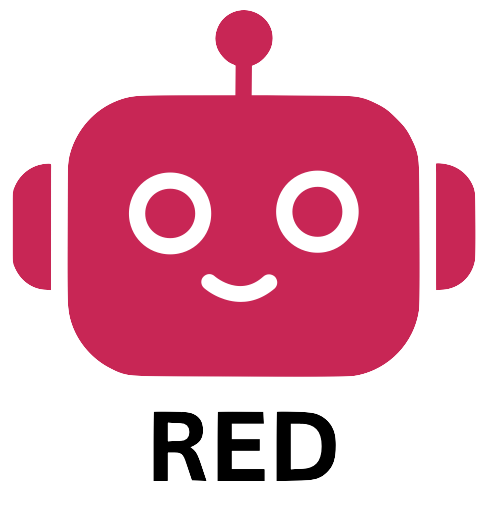 |
|
|
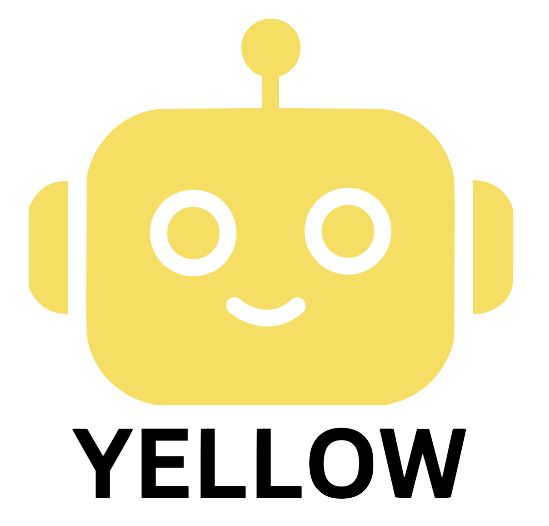 |
Yellow Bot (AI Assistance Allowed): Students can use AI, including SchoolAI, for brainstorming, generating ideas, or outlining arguments. SchoolAI can also provide targeted feedback on early drafts, such as improving arguments or structure. A transcript of all student-AI interactions must be submitted with the final assignment. Proper citation is required for AI-generated content, clearly indicating its influence on the student’s work. |
|
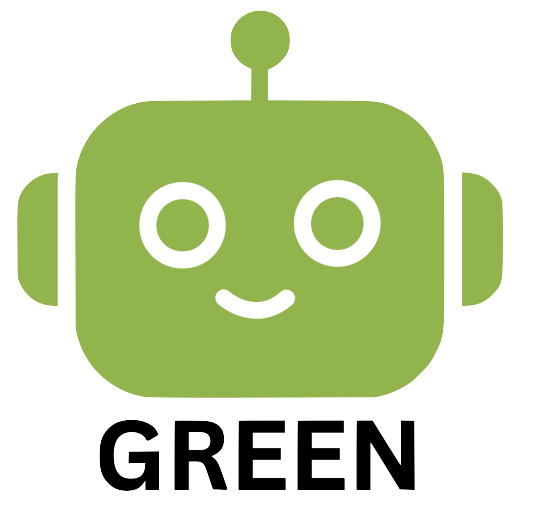 |
Green Bot (AI is Part of the Assignment): AI will serve as a learning partner, like a tutor, to assist students with tasks such as outlining arguments or identifying logical fallacies. The quality of interactions, including prompts and reflections, will be evaluated. Students and staff have access to SchoolAI to develop these AI literacy skills. |
AI Guidelines Introduction
The Ellensburg School District is committed to fostering responsible and ethical use of artificial intelligence in education. Our AI guidelines ensure that all tools are used to enhance learning while prioritizing student privacy, equity, and academic integrity. These guidelines provide clear expectations for AI integration, emphasizing transparency, data security, and human oversight in teaching and administrative practices. By adopting these principles, we aim to empower both students and staff to navigate AI confidently and responsibly. ESD AI Guidelines
Empowering Our Classrooms with Google AI
At our school, we are committed to preparing students for an AI-driven future while giving our teachers the tools they need to focus on what matters most: student connection and growth. To support this, we utilize Google’s generative AI tools, including Gemini and NotebookLM, alongside our Chromebooks. These tools act as personalized assistants for both educators and students, enhancing creativity while maintaining the highest standards of data privacy.
What is Gemini?
Gemini is an intelligent AI collaborator integrated into Google Workspace for Education. Think of it as a versatile assistant that can help brainstorm ideas, summarize complex information, and provide real-time support. Most importantly, when used within our school accounts, your child’s data is protected. Google does not use school data to train its AI models, and student work is never reviewed by humans.
Key Benefits for Our Teachers
By reducing administrative tasks, AI gives our educators more time to invest in their students:
-
Personalized Instruction: Teachers can use Gemini to quickly "re-level" reading materials or create interactive assignments that meet every student’s specific learning needs.
-
Efficient Planning: Educators can convert syllabi into study guides or generate lesson plans and assessments in a fraction of the time.
-
Creative Support: Tools like NotebookLM allow teachers to turn research papers into engaging audio overviews or FAQs to help students grasp difficult concepts.
Key Benefits for Our Students
AI helps meet students where they are, acting as a "tutor in their pocket" to build digital literacy:
-
In-the-Moment Support: Students can use Gemini for step-by-step guidance on complex problems, real-time feedback on their writing, or as a partner for brainstorming project ideas.
-
Adaptive Learning: With NotebookLM, students can upload their own notes and sources to generate one-click summaries, timelines, and "Mind Maps" to help them visualize their learning.
-
Future Readiness: By using these tools responsibly today, students develop the critical thinking and digital literacy skills they will need in the modern workforce.
-
What is ParentSquare?
ParentSquare is a unified communication platform that connects schools and families through email, text, and app notifications, ensuring everyone stays informed and engaged with school updates in one convenient location.Key Features for Parents:
- Instant Updates: Receive important announcements and alerts from your child's school.
- Custom Notifications: Choose how and when you get notified—email, text, or app.
- Direct Messaging: Easily message teachers and school staff.
- Event Sign-ups: Quickly RSVP or volunteer for school activities.
Benefits for Students:
- Stay informed about school events, activities, and reminders.
- Securely communicate with teachers through StudentSquare.
- Easily access school-related resources and announcements.
-
What is SchoolAI?
SchoolAI is an innovative educational tool designed to support student learning and boost teacher efficiency. It provides personalized feedback, interactive lessons, and continuous learning support through a 24/7 AI-powered tutor.Key Features for Parents:
- Personalized Support: Your child receives tailored feedback to improve their learning experience.
- Continuous Access: Students can access help anytime through the SchoolAI Tutor.
- Diverse Learning Tools: Includes text-to-speech and translation features to support all learners.
Benefits for Students:
- Get immediate, personalized feedback on assignments.
- Access engaging, interactive lessons tailored to your learning style.
- Receive continuous academic support, anytime and anywhere.
SchoolAI helps students achieve greater success while making teaching more effective and inclusive.
Parents are encouraged to explore how SchoolAI empowers students by visiting this interactive space:
-
What is Schoology?
Schoology is an online platform where teachers, students, and parents can access class materials, assignments, grades, and communication tools in one convenient location. It’s designed to streamline learning and keep everyone connected.
Key Features for Parents:
- Classroom Updates: View upcoming assignments, due dates, and important announcements from teachers.
- Student Progress: Track your child’s grades and feedback on assignments.
- Calendar Integration: Keep up with school events, assignment deadlines, and test dates.
- Communication Tools: Message teachers directly and stay informed about classroom activities.
Benefits for Students:
- Access all learning materials in one place.
- Submit assignments and receive feedback online.
- Collaborate with peers and teachers through discussion boards and group activities.
-
What is Google Classroom?
Google Classroom is an online platform that integrates Google’s suite of tools, such as Google Docs, Slides, and Drive, to support teaching and learning. It serves as a centralized hub where students can access materials, submit assignments, and receive feedback.
Key Features for Parents:
- Assignment Tracking: View your child’s assignments, due dates, and teacher feedback.
- Class Announcements: Stay informed about class updates and important reminders.
- Progress Monitoring: See completed and missing assignments to help your child stay on track.
- Integration with Google Tools: Access projects, essays, and other work created with Google applications.
Benefits for Students:
- Organize all classwork and materials in one digital space.
- Submit assignments directly through the platform and receive feedback from teachers.
- Collaborate with peers using Google’s collaborative tools.
- Access learning resources anytime, from anywhere.
-
What is Formative?
Formative is an online platform that allows teachers to create and share interactive assignments, quizzes, and assessments. It enables real-time feedback, helping students understand their progress and areas for improvement while allowing teachers to tailor instruction to individual needs.
Key Features for Parents:
- Insight into Learning: See your child’s progress on formative assessments and understand their areas of strength and growth.
- Real-Time Feedback: Teachers provide instant feedback to guide student learning and improvement.
- Communication: Stay informed about your child’s performance and classroom activities.
Benefits for Students:
- Engage with interactive, dynamic assignments designed to build skills and understanding.
- Receive timely feedback to improve their learning process.
- Track their progress and identify areas where additional effort is needed.
- Access Formative from any device, ensuring learning continues beyond the classroom.
-
Empowering Our Classrooms with Google AI
At our school, we are committed to preparing students for an AI-driven future while giving our teachers the tools they need to focus on what matters most: student connection and growth. To support this, we utilize Google’s generative AI tools, including Gemini and NotebookLM, alongside our Chromebooks. These tools act as personalized assistants for both educators and students, enhancing creativity while maintaining the highest standards of data privacy.
What is Gemini?
Gemini is an intelligent AI collaborator integrated into Google Workspace for Education. Think of it as a versatile assistant that can help brainstorm ideas, summarize complex information, and provide real-time support. Most importantly, when used within our school accounts, your child’s data is protected. Google does not use school data to train its AI models, and student work is never reviewed by humans.
Key Benefits for Our Teachers
By reducing administrative tasks, AI gives our educators more time to invest in their students:
-
Personalized Instruction: Teachers can use Gemini to quickly "re-level" reading materials or create interactive assignments that meet every student’s specific learning needs.
-
Efficient Planning: Educators can convert syllabi into study guides or generate lesson plans and assessments in a fraction of the time.
-
Creative Support: Tools like NotebookLM allow teachers to turn research papers into engaging audio overviews or FAQs to help students grasp difficult concepts.
Key Benefits for Our Students
AI helps meet students where they are, acting as a "tutor in their pocket" to build digital literacy:
-
In-the-Moment Support: Students can use Gemini for step-by-step guidance on complex problems, real-time feedback on their writing, or as a partner for brainstorming project ideas.
-
Adaptive Learning: With NotebookLM, students can upload their own notes and sources to generate one-click summaries, timelines, and "Mind Maps" to help them visualize their learning.
-
Future Readiness: By using these tools responsibly today, students develop the critical thinking and digital literacy skills they will need in the modern workforce.
-
Guidelines for the Use of Artificial Intelligence in Ellensburg School District
Use the links below to learn more about AI guidelines